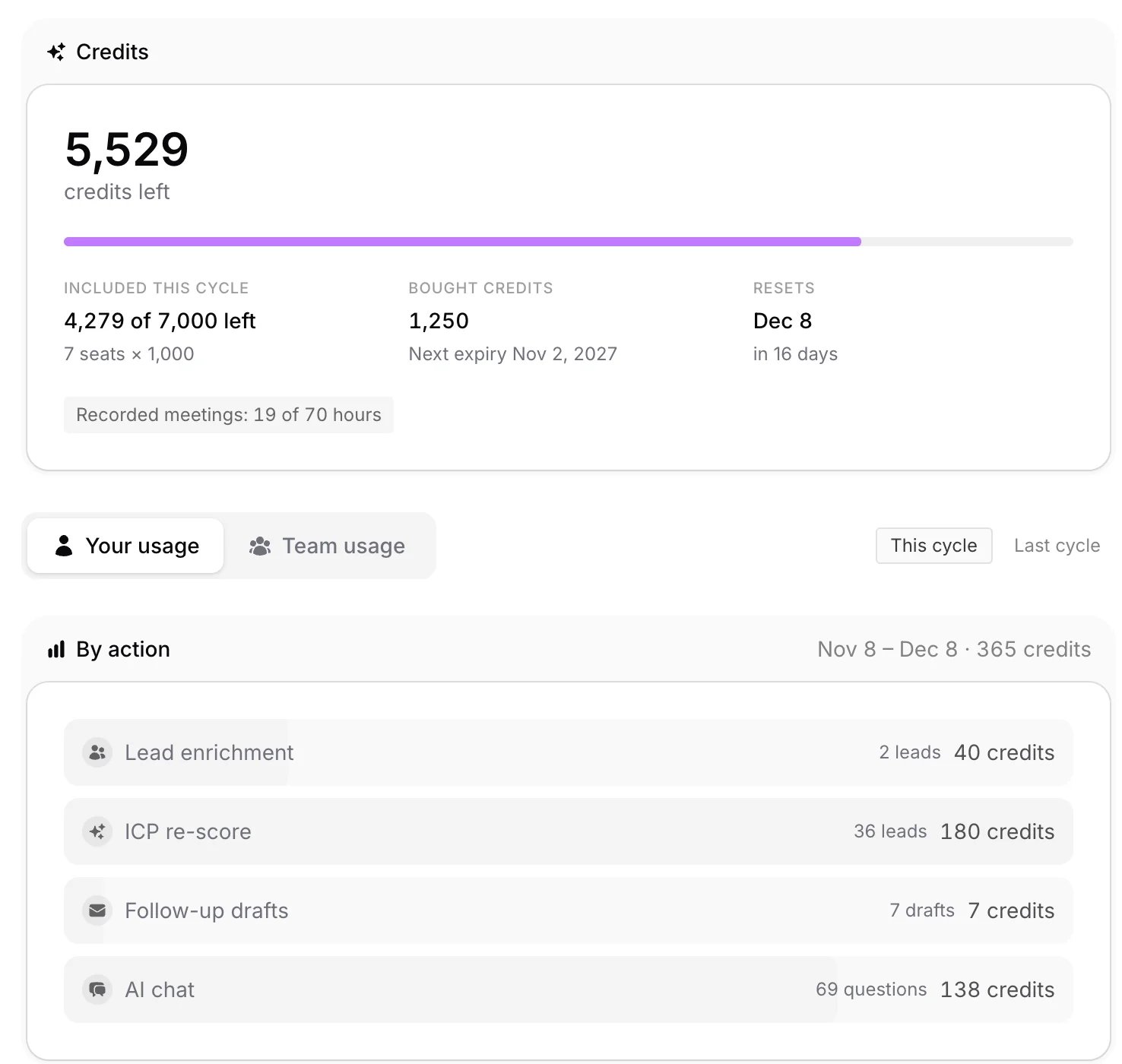
Your monthly credits
Each seat adds 1,000 credits to the pool every billing cycle. A workspace with 5 seats gets 5,000 credits a month, shared by everyone in it.- Credits reset at the start of each billing cycle. Unused monthly credits don’t carry over.
- Adding seats mid-cycle adds credits for the rest of the cycle. Removing seats takes them away the same way.
- AI features need an active subscription. If the workspace subscription lapses, they stop until it’s renewed.
What uses credits
Capture, scanning, voice notes, CRM sync, and analytics never use credits. Neither does the scheduled refresh that keeps enriched leads up to date.
When credits come back
You aren’t charged for work that doesn’t happen:- An enrichment that fails, times out, or finds nothing is refunded.
- A re-score refunds the leads it didn’t score.
- A follow-up draft or chat answer that fails is refunded.
When the pool runs out
- Actions you start yourself, such as Enrich on a lead or a chat question, are refused with a message that says when credits reset.
- New leads that would be enriched automatically wait instead. They show Waiting for credits and start, oldest first, as soon as credits come back: at the next reset or when seats are added.
- An enriched CSV import stops enriching rows once the pool is empty.
Recorded meeting hours
Recording meetings doesn’t cost credits, but it has its own allowance: 10 hours per seat per billing cycle, reset with the credits. When the workspace has used them, new recordings can’t be uploaded until the reset. More seats add more hours. A recording that fails to process gives its time back.Settings → Usage
Settings → Usage shows the pool:- Credits: how many are left.
- Included this cycle: how much of the monthly allowance is left, and how it’s made up (seats × 1,000).
- Bought credits: any extra credits on top of the monthly allowance. They’re used after it runs out.
- Resets: when the next cycle starts.
- How many leads are waiting for credits, and how many recorded meeting hours are used.