
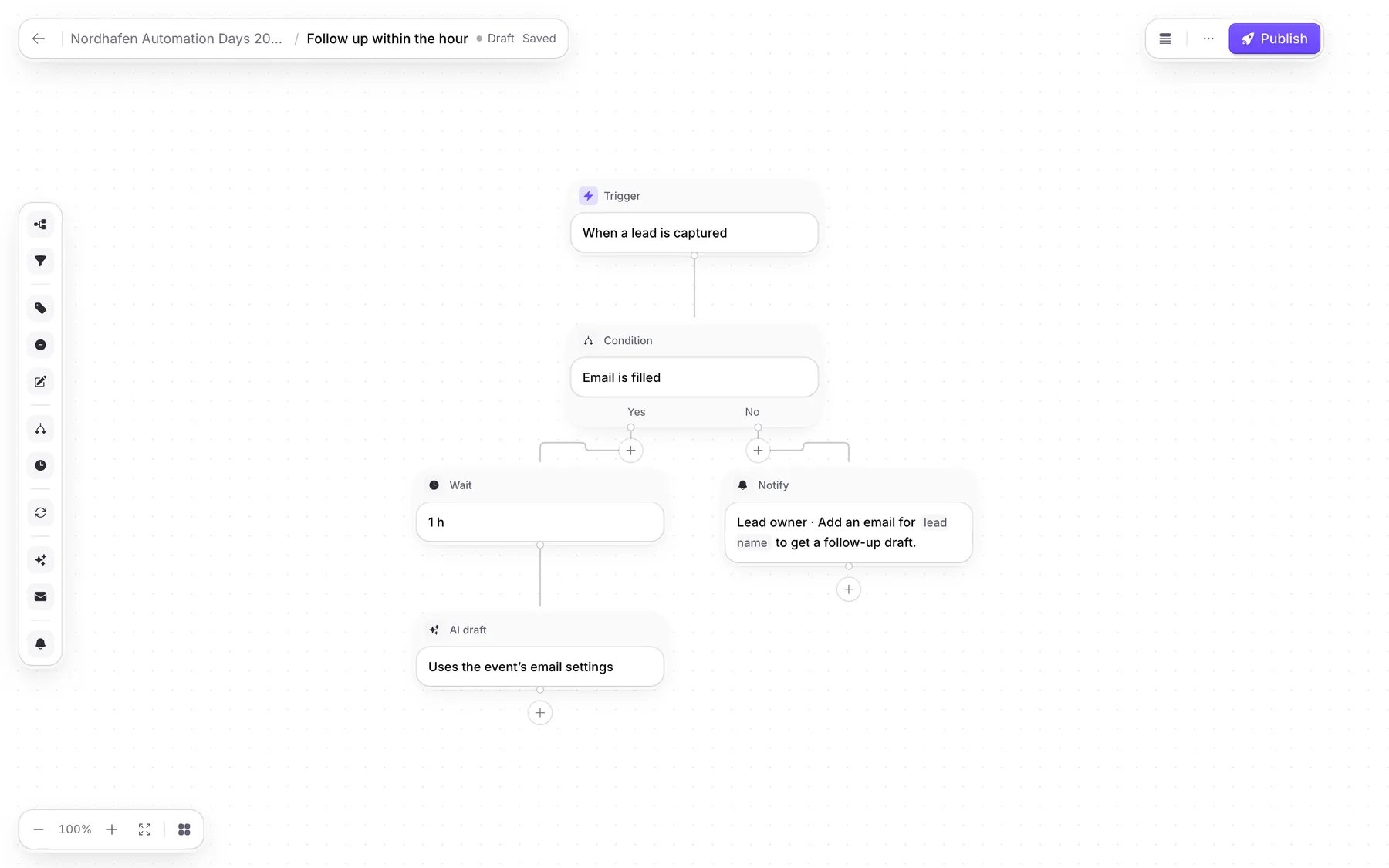
1. Start from the template
- Open the event’s Flow tab and select New flow.
- Pick AI follow-up, name the flow (for example Follow up within the hour) and select Create flow.
2. Check for an email
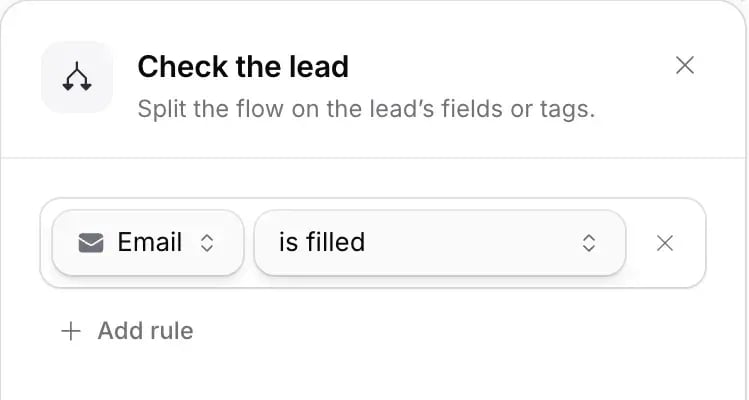
The Condition card checks one rule, Email is filled, and splits the flow into Yes and No. To leave out personal addresses, change the check from is filled to is a work email. Leads with a Gmail or Outlook address then take the No path too.3. Set the wait
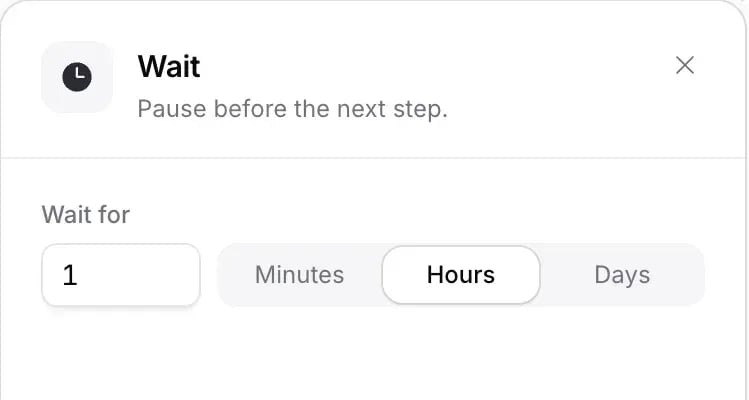
On the Yes path, the Wait card holds the run for 1 hour. Change it to suit your team:- 15–30 minutes if reps add notes at the stand, right after the conversation.
- A few hours if they catch up on notes in a quiet moment.
- 1 day for a “next morning” follow-up after an evening of networking.
4. Shape the draft
Select the AI draft card. Left as it is, it writes with the event’s email settings. To steer it, fill in What this email should say, for example:Thank them for stopping by, mention the one thing from the notes they cared about most, and offer two times for a call next week.Pick a shared Template if your team has one for events, and a Tone if this event needs a different one from your usual.
5. Ask for the missing email
On the No path, the Notify card tells the lead owner:Add an email for {{lead_name}} to get a follow-up draft.
That message only helps if adding the email produces the draft. To make it so, delete the Notify and the Condition, and give the AI draft a Needs before it runs of Email instead. The draft step then waits for the email, prompts the owner, and writes the draft as soon as it’s added. The flow is shorter, too.
6. Publish
Select Publish. From the next capture on, the drafts appear an hour after each scan. Open the runs panel to watch one: it waits on the Wait step, then reads Draft is in the owner’s mailbox or Draft is ready in the app.Things to know
- One draft per lead. If the lead already has a draft waiting, for example because the rep wrote one from the lead page, the flow doesn’t write another.
- Where drafts go. With a connected Gmail or Outlook mailbox, the draft is in the owner’s own drafts folder. Without one, it’s under Follow-up drafts on Admin → Email Outreach. See Email outreach.
- Running out of credits. A draft that can’t be written fails the step. It’s retried, and the run shows the reason; retry it from the run once credits are back.